How to purchase InterCity train tickets in advance via the app
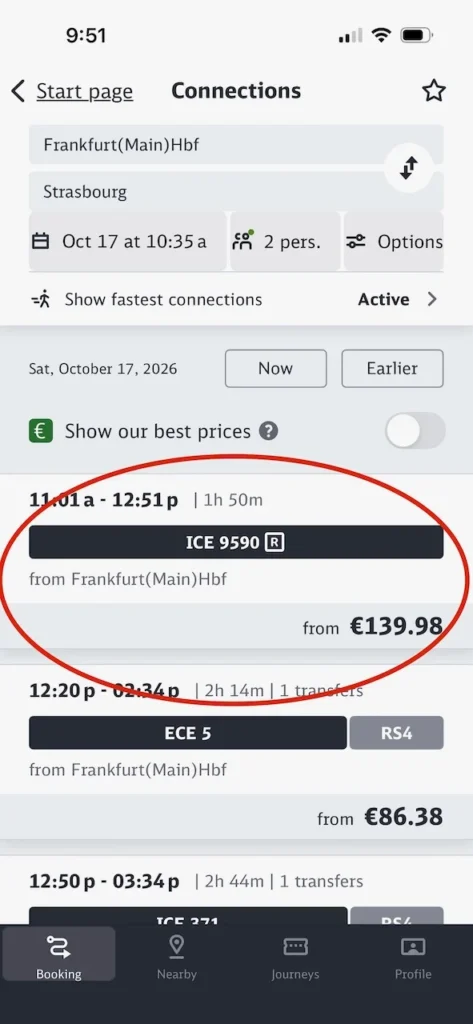
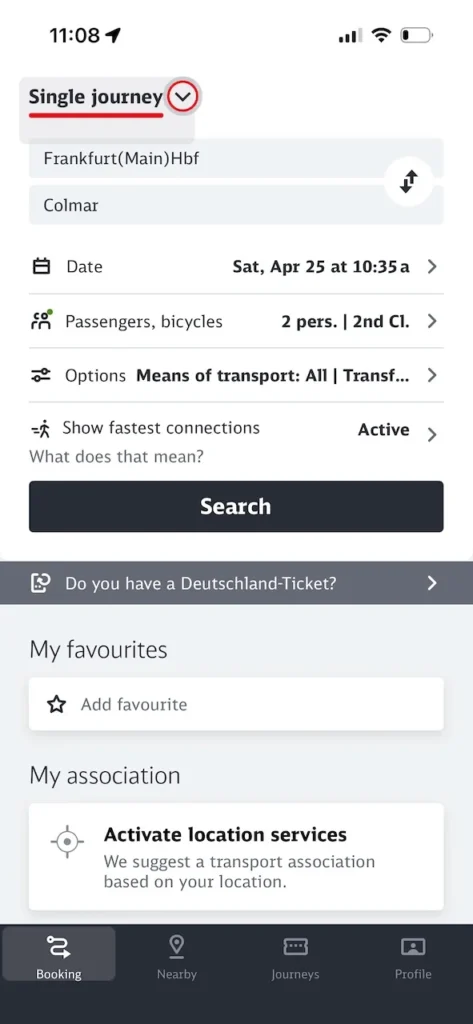
Begin by opening the app. Then select the pull down menu and pick either single journey or round trip. Then enter you starting train station followed by your destination train station. Enter your desired travel date, number of passengers and select first class or second class. Press search to bring up available trains.
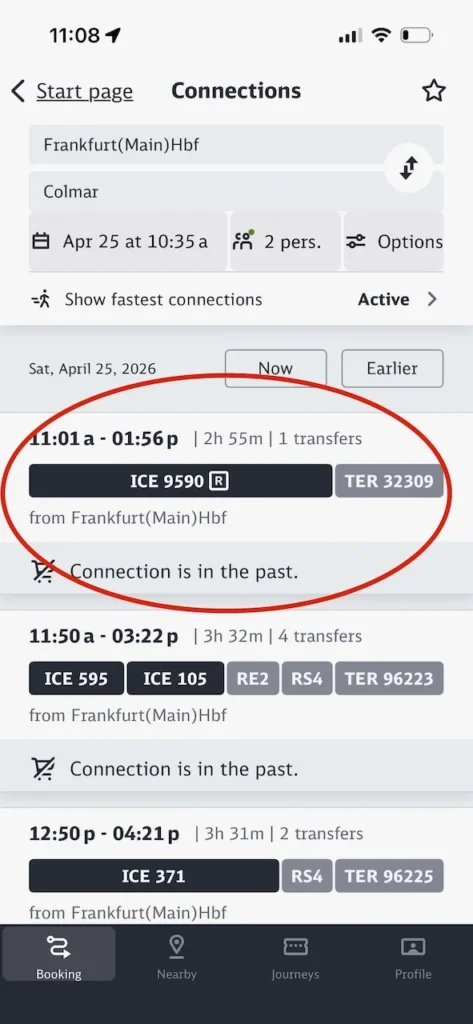
Find the train that meets your travel requirements. Tap the train number that you want. Here we have selected ICE #9590 which has one transfer to a TER #32309 train. This one had the fewest transfers and the fastest travel time. Note: ignore the “Connection is in the past” comment – this is just because we are writing this website after we took this train.
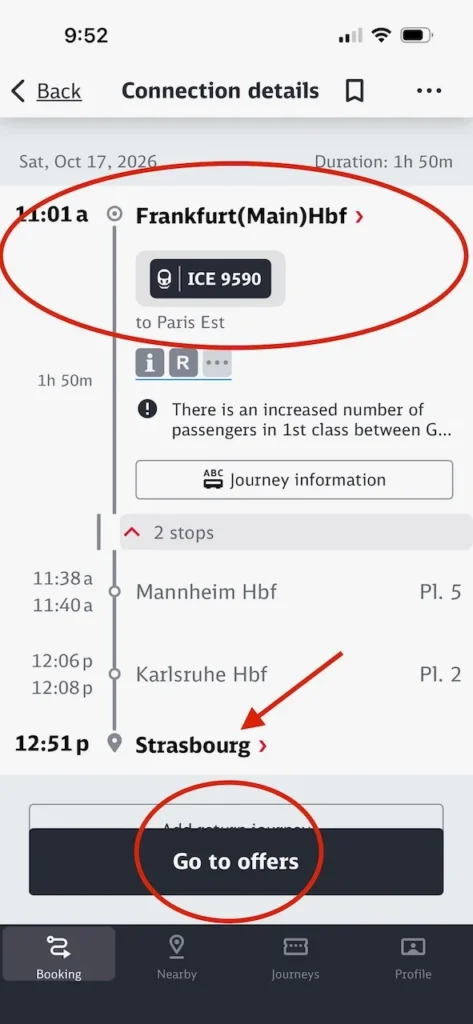
The app then pulls up a more detailed screen. At this point we have to make a bit of a change in the example because sometimes the DB app will not allow the purchase of travel outside of Germany unless DB has a specific agreement in place with the 3rd party train. In this instance we could purchase the Frankfurt to Strasbourg leg, but because the
Strasbourg to Colmar leg does not enter Germany using an approved vendor it rejected our purchase.
For illustrative purposes we have altered the trip from Frankfurt to Colmar to Frankfurt to Strasbourg – as indicated by the red arrow. It is still the same train as before to strasbourg: #9590. To purchase the second leg of the journey on TER #32309 you must access the TER ticket purchasing app and buy the tickets separately. As an alternative there are services that will purchase the entire journey for you for a fee.
Select the “Go to offers” button to see pricing options.
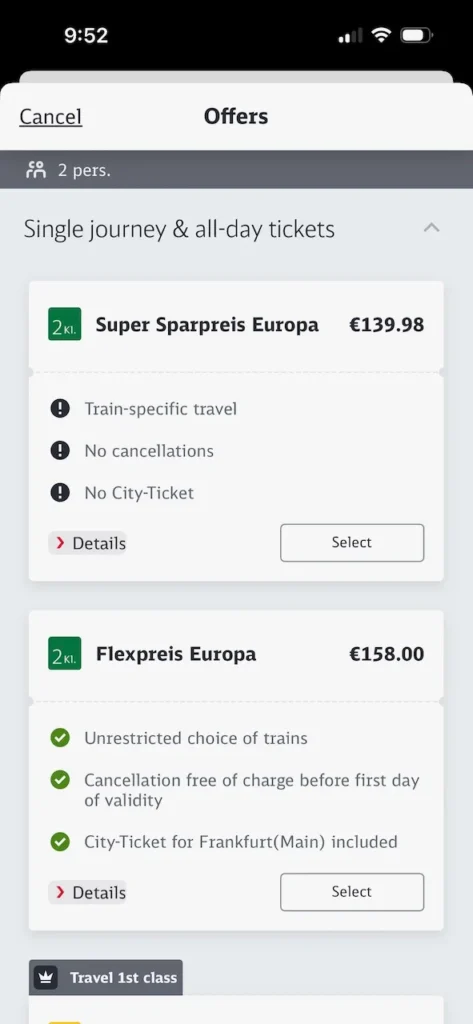
Select the pricing option that fits your requirements
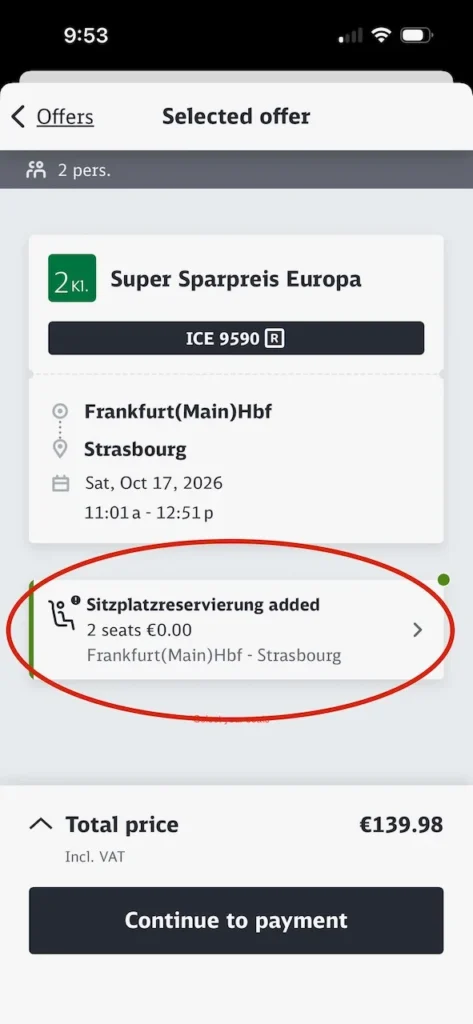
Generally you must select your seats, similar to selecting airplane seats . In some instances you are assigned seats without being offered a choice.
Seats come in pairs or groups of four seats facing each other with a small table in the middle depending on the train.
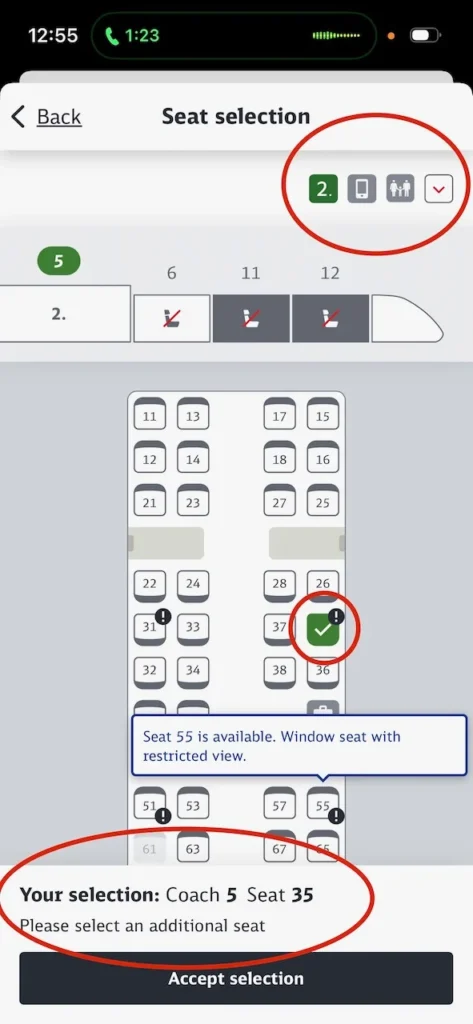
The red circle at the top applies to 2nd class tickets. If you had selected first class this icon would change to a 1. Pull down the menu to see a list of features and restrictions that may impact which seat you select.
Just below the top red circle is a diagram of a train. The numbers on the top indicate the number of the
train car. In the photo, cars number 11 and 12 are greyed out because they are first class only.
Car number 6 has no seats available. Car number 5 is green to indicate that is the car seating plan that is currently being shown. Pick any seats in this car or any other 2nd class car with vacant seats desired.
The photo indicates that we have already selected seat 35 in coach 5 as shown by the green check mark and also by the text in the bottom red circle.
Several of the seats have exclamation marks next to them. We have clicked on one of them to pull up the message related to seat 55. The message indicates that the seat has a restricted view out the window.
The two large gray bars in front of seats 22/24 and 26/28 are tables with 4 seats each facing each other. Some trains will have luggage racks near the center of the car and will be shown with an icon of a suitcase. It can be partially seen just above the message related to seat 55. There will also be luggage racks at the end of the car by the door.
One more point that might be important if you get motion sickness. Each seat on the seating chart has a dark band which represents the back of the seat. By looking at the seating chart you can see that some seats face in one direction while others face the opposite. The problem is that there really isn’t a way to determine the direction of the train. Therefore you don’t know if you will be facing forwards or backwards. The internet indicates that if you have difficulty with this people will be willing to change with you but we have never tried it.
Detailed information regarding your reservation can now be found in the DB app
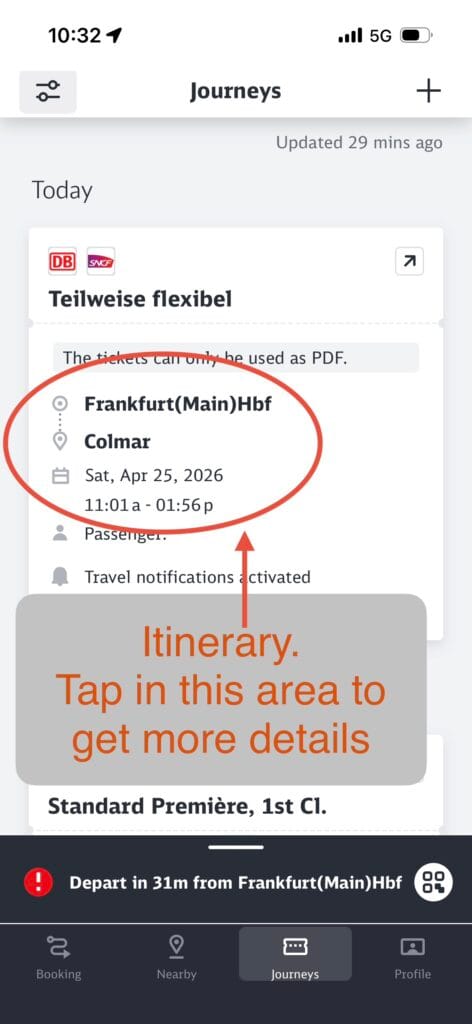
This screenshot shows an itinerary using the Deutsche Bahn (DB) app. The tickets have been purchased and can be viewed in the bottom tab marked Journeys.
The trip is from Frankfurt Main train station to Colmar on Saturday, April 25, leaving at 11:01.
Notice that just behind the top of the red oval is the statement: The Tickets can only be used as PDF. This means you need to present a paper copy to the conductor if asked for your ticket.
By tapping on the screen you can move to the detailed itinerary shown on the next screen
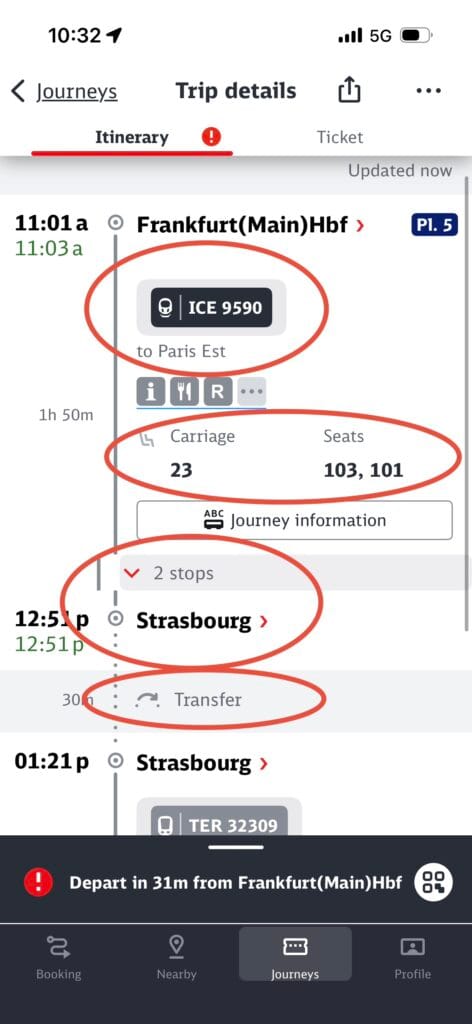
The detail screen shows we take ICE 9590 headed towards Paris East in car 23, seats 101 and 103. The train will make 2 stops before it reaches our destination of Strasbourg where we will transfer to another train that takes us to Colmar.
Clicking on the 2 stops pull down menu takes you to the third screenshot.
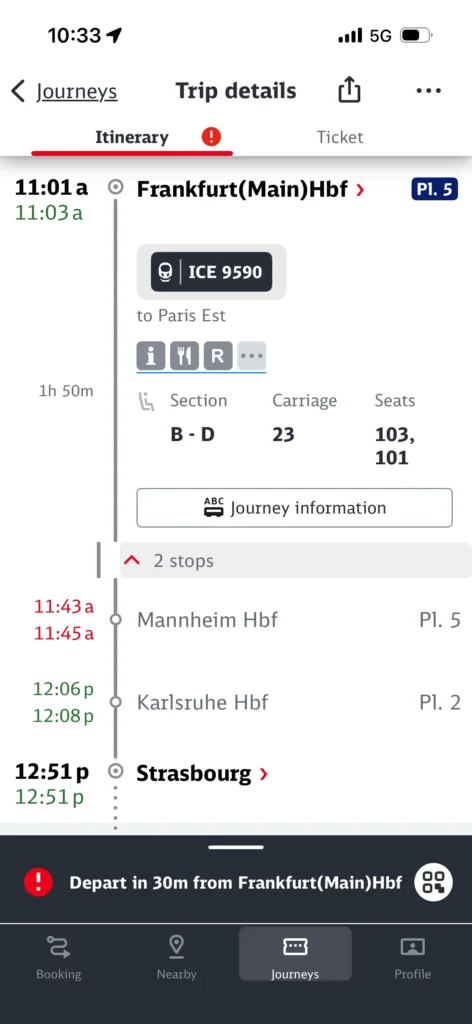
This last screenshot shows a bit more detail of the trip. Specifically it shows the two stops the train make prior to arriving in Strasbourg.
How to find your train at the station on the day of your travel and read the electronic board
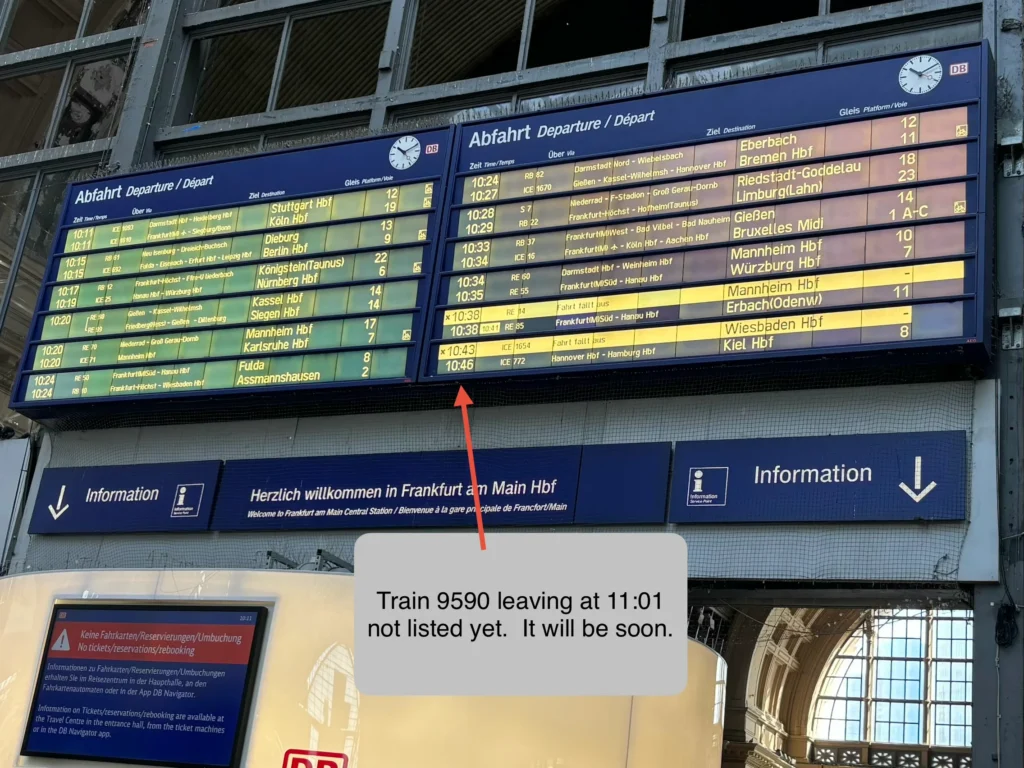
We had tickets on train #9590 headed to Paris East Station. Our tickets got off at Strasbourg.
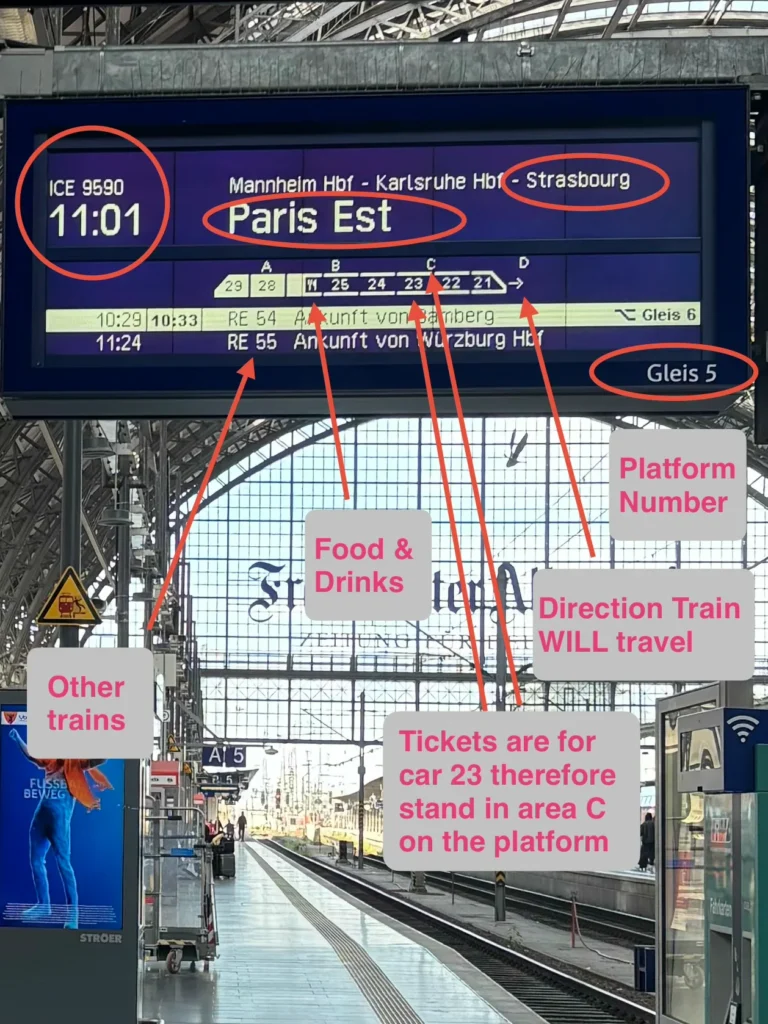
These two photos describe everything we needed to know about our train. They are for an ICE train #9590 to Paris East, leaving on track 5 at 11:01. The tickets indicate that we are seated in car 23, seat numbers 101 and 103. When the train arrives car 23 will line up with area C on the platform. Go stand in area C to wait for the train (in the photo you can see a sign in the distance saying A5. Proceed to C5). Cars 28 and 29 are first class. Between car 28 and 25 is the food car.
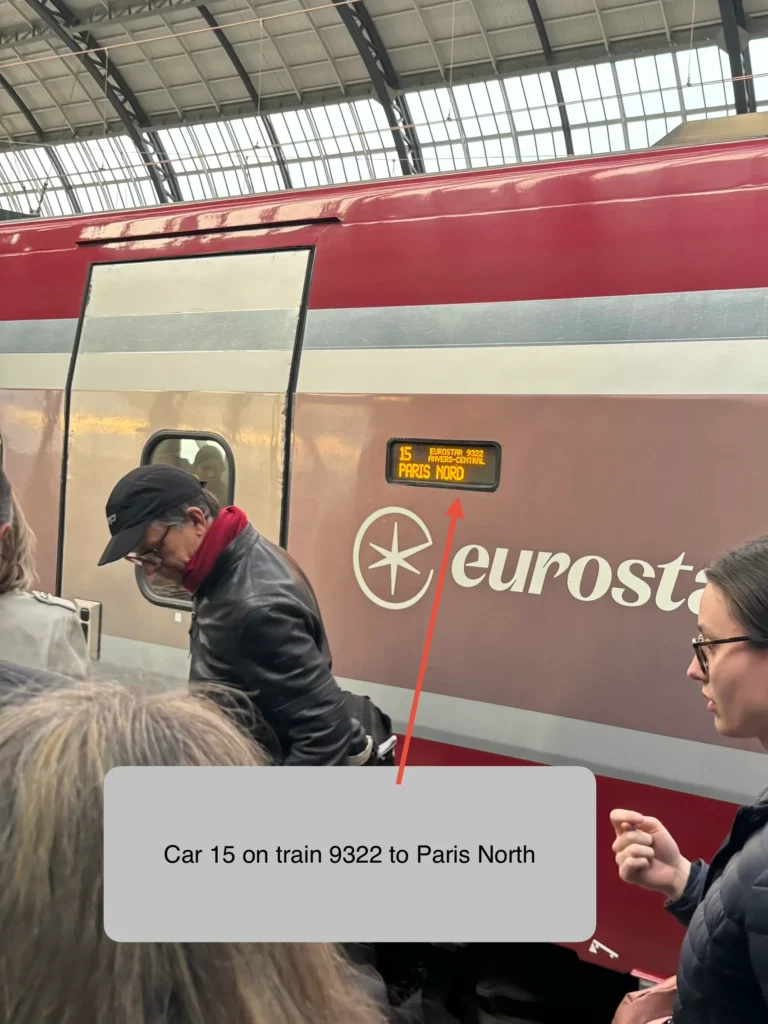
This is a different train than we have been discussing, however it demonstrates how you identify which train car it is. This one is Eurostar #9332 headed to Paris North, car 15.
If I had thought to take a picture of the train car we got on in the example we have been using it would have said: ICE #9590 headed to Paris East, car 23.
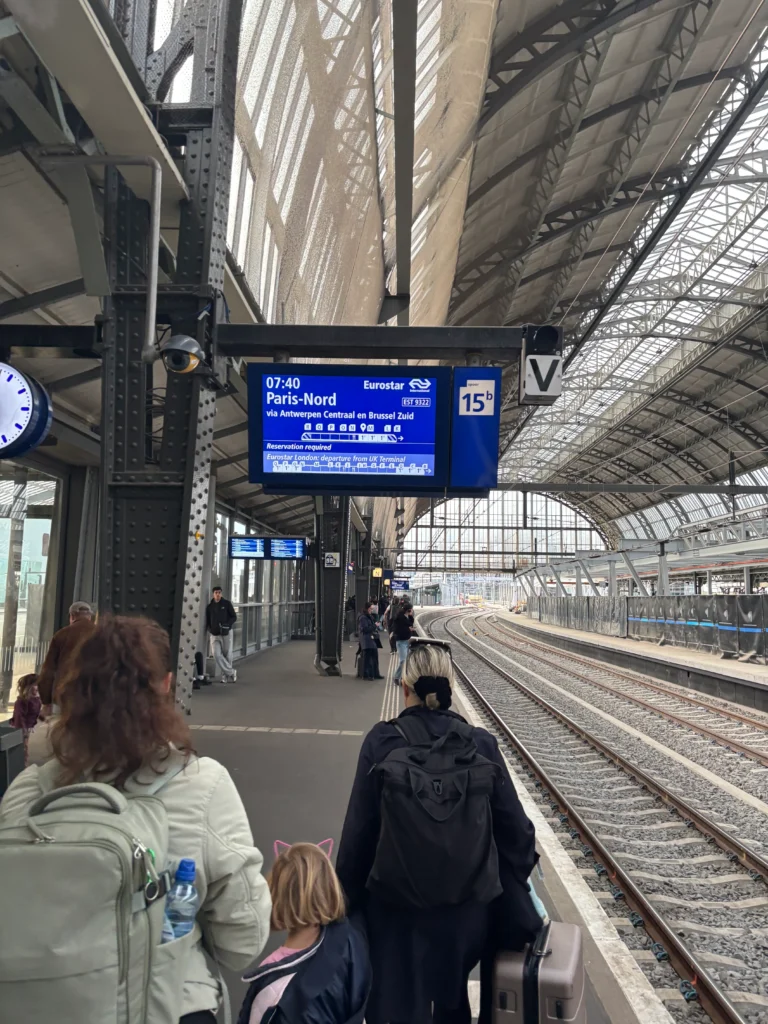
Some platforms are intended to allow two trains to occupy one platform at the same time. In this situation the platform is split into virtual sections labeled A and B. This photo shows platform 15b
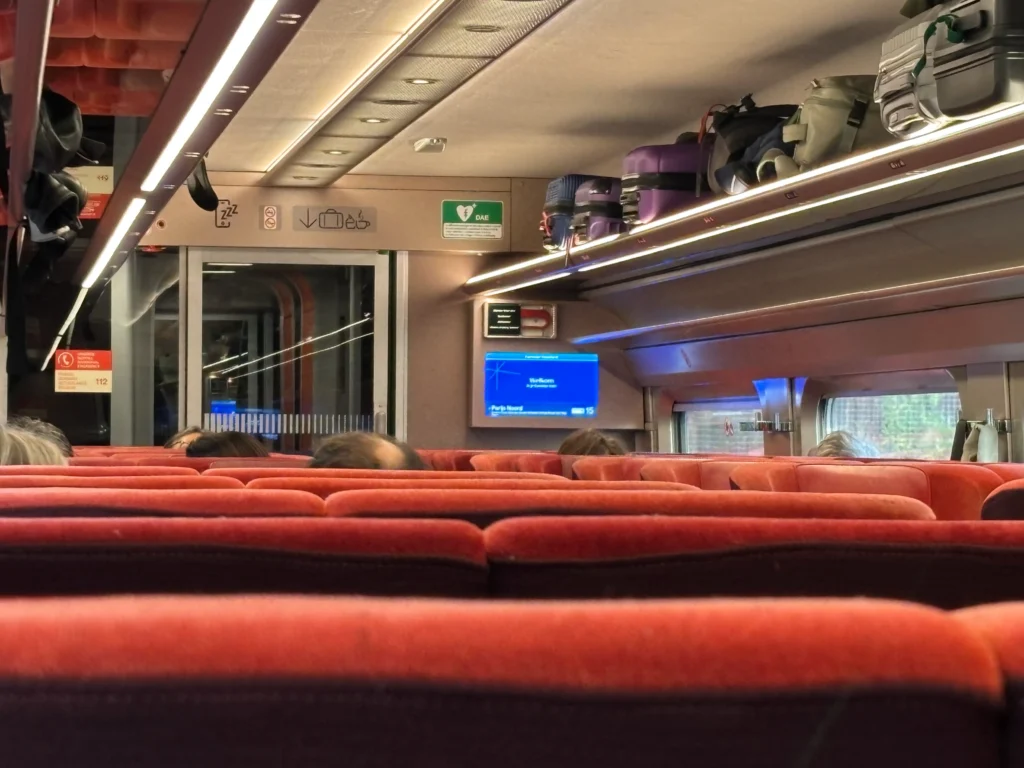
This photo shows the overhead storage which is large enough for carry-on sized luggage only. Larger bags are stored in a rack near the door and sometimes in a rack in the middle of the car.