
Travel Technology Guide for Europe: Phones, Apps, Wi-Fi, Adapters & More
Technology can make travel in Europe easier, cheaper, and less stressful—if you’re prepared before you leave home. From cell phone service and navigation apps to electrical adapters and translation tools, this guide covers the technology you’ll need to stay connected and avoid common travel frustrations.
Why Technology Is Your Best Travel Companion
Calling To, From, and Within Europe
🧳 Don’t be Surprised
Check your contacts to make sure the phone numbers include the “+” and the “1” along with the number. If not, your contacts phone numbers will not work. The only option is to manually dial the full number.
How to Call Europe from Your Cell Phone
All International calls follow the same format: dial the number for an international line (referred to as the exit code), followed by the country code you are calling, followed by the phone number. Holding down the zero button on your phone until it switches to a plus sign (+) automatically dials the exit code for the country you are in. Drop the leading zero if the number you are calling has one. Dial the rest of the number.
A Quick Rule for International Calling
- Hold down 0 until it becomes +
- Drop any leading zero
- Dial the rest of the number
Example
US Number:
+1 555 123 4567
French Number:
+33 X XX XX XX XX
The following applies only to using your cell phone. There are several great websites that explain making landline calls if needed. Making international call is a bit confusing sometimes due to the differing number formats used. Whereas in North America the format is identical (7 digit plus an area code), Europe numbers can vary in length country to country and whether it is a cell phone or a landline phone number.
Calling from Europe to North America requires plus sign (+) followed by 1 and the area code and the number: +1-(area code)-XXX-XXXX.
Roaming charges can get very expensive quite quickly, so avoid then if possible by either having an International calling plan or using a wifi calling app
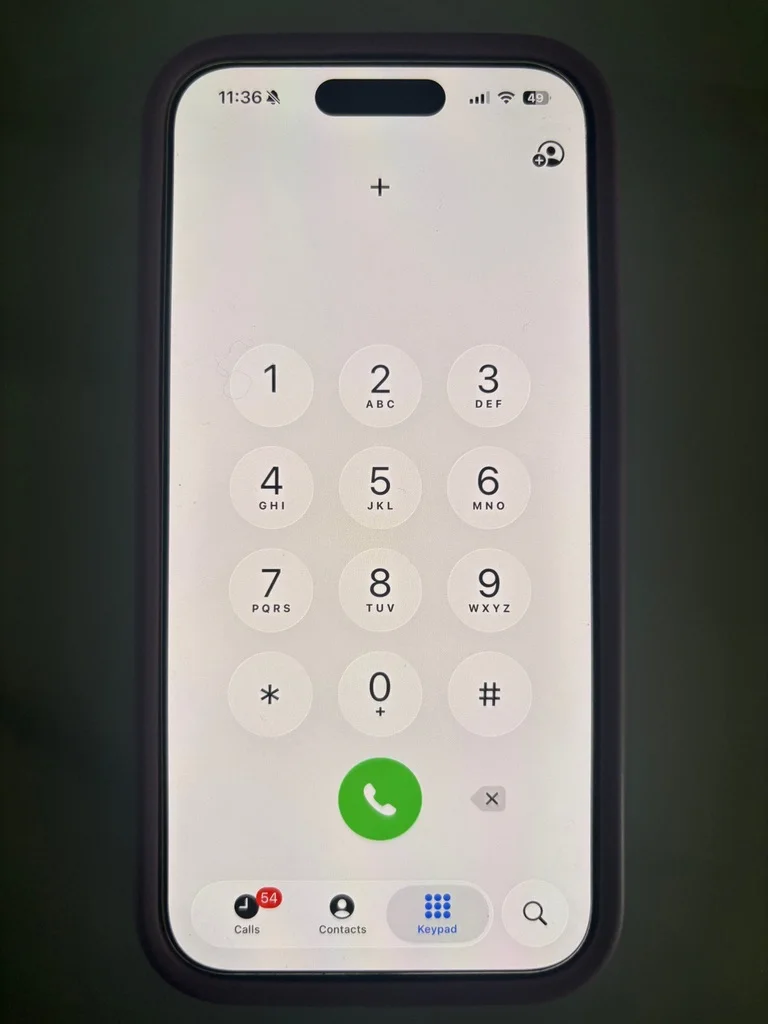
Further details for calling Europe
If you want more details read further
When traveling in Europe, you should generally dial international-format numbers using the + sign and country code, even when calling locally. While in North America the exit code is 011 which would then be followed by the country code – dialing France for instance would be 01133 then the actual phone number dropping any leading zeros. While in France the exit code is 00 etc. (an internet search for country codes will get you a list if desired).
Fortunately, using the + sign and country code eliminates most dialing problems. In most cases, simply save phone numbers in international format and your phone will handle the rest. If your phone number begins with a zero, simply drop it dial the rest of the phone number.
One other point of confusion for North Americans is the difference between 011 and 001 and 1. 011 is used while in the US to make an international call, sometimes referred to as the exit code. When outside the US, 001 is the exit code (00) plus the North American country code (1) used to call North America from in international location, and the 1 by itself is also the country code for North America when used with the plus sign (+) with the cell phone automatically determining that a 00 is needed on the front of the number
Do You Need Mobile Data in Europe?
Free wifi at local shops and restaurants is available, however it can be a bit hit and miss, especially when you need it. Being able to navigate to your next destination in real time, whether across town by the subway or to a local museum on foot requires wireless internet access. It is not only less frustrating, it is also time effective.
Check your cellar carrier for an international plan that provides a flat rate per day. Given how expensive air travel, food and hotels are it is worth spending a bit more to have full access to the internet to make the most out of your trip. If you are still undecided whether to purchase wireless access read through these web pages watching for how many references there are to the internet.
An alternative might be purchasing an eSIM. Many travelers now use eSIM providers to get mobile data in Europe without changing their physical SIM card. Take precautions to make sure you won’t get unexpected roaming charges. Also note that you may not have traditional texting and cell phone calling, that is, you might get data only.
TIP: If you are going to rely on free wifi then invest in a good VPN product to safeguard your phone.
Essential Apps for Traveling in Europe
This will take a bit of research on your part to determine the full list. At a minimum you will need a GPS mapping tool for local trips to see what transportation systems you will be riding. Then internet access determine how to get tickets (whether you need the app or can just purchase them directly by using a credit card or your phone. Here is a list of suggestions that may be useful:
Transportation
- GPS mapping app – this is the most critical time and budget saving app to have.
- Transit apps – may be necessary for buying tickets.
Translation
- Translation app with the ability to use a camera to read labels
Flights
- Airlines app – these are a must have app. You will need this to get updates on your flight, particularly gate changes.
Trains
- Rail operator apps
Other Helpful Apps
- Restroom Finder – You won’t miss this app until you need to go.
- Rideshare apps – download the app you expect to use prior to leaving home.
- Locker app – optional depending on whether you need to check in to your hotel early and your hotel doesn’t offer this service.
Translation Apps for Traveling in Europe
Do you need to speak the local language? Generally no. Enough people in the tourist areas of Europe speak English. The farther away from the metropolitan hubs the more likely you are to run into non-English speaking people. Usually they speak enough for you to get by.
If you get stuck and need to communicate with someone that doesn’t speak your language utilize a translation App like Google Translate. Remember simpler sentences yield better translations and therefore better results. Stick to standard, basic english and avoid buzzwords, slang, or colloquialisms.
You may find it beneficial to learn a few short key phrases in the local language: please, thank you, excuse me, etc.
Use the camera option with the translation app to help read menus, signs, product labels, etc.
Learn to read the local word for EXIT. Every time I step off a train I immediately start scanning for the exit. Learning to read this one word will help you leave the station faster and easier .
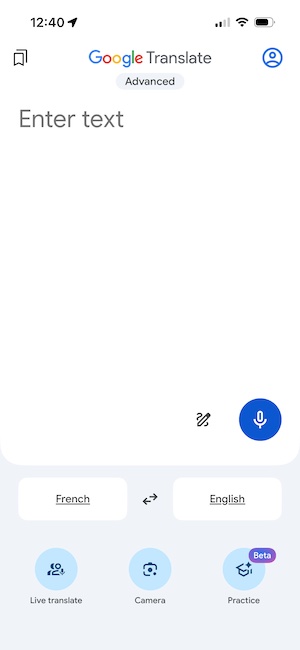
Apps We Use Regularly
- Tripit planning app
- Google Maps
- Google Translate
- Île-de-France Mobilités
- Deutsche Bahn (DB)
- Bolt Rideshare
- Flush Toilet app
Bounce Locker app
European Power Adapters and Voltage Converters
Do you need an adapter or converter to use your electric items?
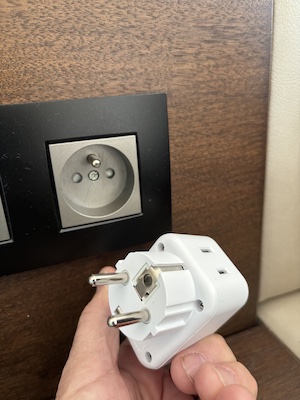
Two issues determine whether you need adaptors and/or converters. Electricity in Europe is 240 volts compared to 120 volts in the US, and electric plugs are not standard across all countries in Europe.
If you are uncertain ask the attendant at your lodging for help. Do not risk electric shock or fire.
An adapter allows the standard North American plug to engage a specific plug type in a given country. In other words, you may need an adapter for every country you plan to visit if they have different shape plug-ins. Also, check the devices you want to use to see if they have a 3 pronged plug. Many adaptors only support 2 prongs. Finally, if your device operates on 120 volts only then you will need a converter in addition to an adapter. CAUTION: Adapters pass through what ever voltage the host country provides. If your adapter connects to the local power and allows an American style plug to attach to it your device will receive 240 volts NOT 120. You must include a converter.
Converters switch the electricity from 240 volt to 120 volt. Most of the computer based items that people carry will automatically convert from 240 to 120 volts and therefore only need an adapter. Some items, such as hairdryers or razors, only operate at 120 volts. These need both a converter and an adapter.
To know for sure, check the label on the plug or the items documentation. If it says something like: 100-240V, 110-240V, 120-240V then only an adapter is needed. If it only says 120V, 110V, or it doesn’t say anything at all (or if you are uncertain in general) then use an adapter along with a converter.
If you decide you need a converter then you must determine how much power you need to convert. Most likely the only item you will have that needs a converter is a hair dryer. Most hair dryers consume between 1000 watts and 2500 watts. Check your equipment and/or documentation to determine how much power it consumes and the purchase a converter that will handle that size of load. If your item does not indicate watts then it should list the amps used. If this is the case then a small bit of math is required to convert to watts: multiply the amps times the volts to get the watts. For example, if your hair dryer indicates 15A then the calculation would be: 15 x 120 = 1,800 watts. A converter that provides more wattage then 1800 will work, however do not use one that provides less.
A good idea is to buy an adapter that has a USB connection so that you can use the same adapter for both your phone and another device like your converter.
🧳 Don’t be Surprised
Most airplanes only offer USB connections for charging devices. If you use USB-C and want to charge your device on the plane make sure to bring a USB-USB C connector.
You're on vacation. Why would you need a printer?
While most tickets are now digital, some operators occasionally require printed documents. If you need a printer:
- Ask your hotel front desk.
- Search your phone for “print near me” or “copy shop near me.”
- Check local libraries or business centers.
E tickets, paper tickets, tickets in apps, trains to catch - is there a way to keep track of it all?
There are several trip planning apps available. They are very useful for calendarizing your activities, travel schedule and free time. We also use them to store the location of all of the tickets. For instance if we are traveling by train and it uses a paper ticket I will enter into the app that the tickets are paper. If the tickets are online then I enter the app that contains the tickets. This keeps me from fumbling around as we are trying to enter a museum for the tickets or when a train conductor is coming through checking the passengers.
One final thought: if you don’t do the work up front to load the data the planning app is not of much use.
Oh no! you've lost your travel partner.
It’s easy to lose a travel partner in the crowd. But how do you find them? A little pre-planning will go a long way.
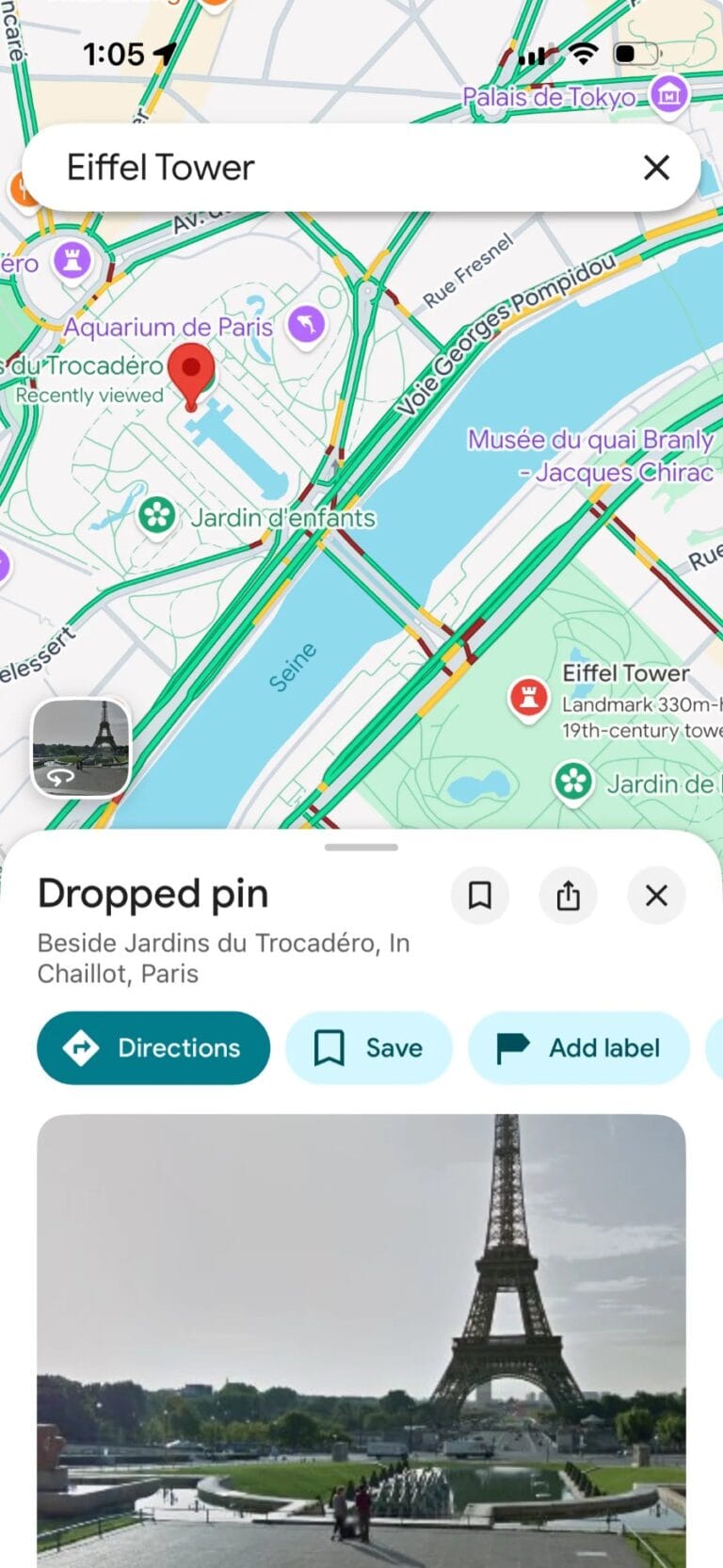
If you lose part of your travel party, or you have become separated from someone there are a few things you can do. Sending a text to them asking where they are might work however you may get a non-helpful response (I’m at the gift shop, for instance whereas to you the whole area looks like one gift shop after another). Having the ability to track each other via your cell phone will help. Another solution would be to drop a pin in Google maps and then forward it to the other party. They can then use Google maps to find you.
To drop a pin and forward it open Google maps and zoom in on the screen to get more accurate location. Touch and hold your location (the blue dot) until Google indicates a pin has been dropped. Then on the menu items scroll to the right until SHARE appears. Click the SHARE button and forward it with any text such as, “Meet me here”.
As you go about your day sightseeing, periodically establish a new meeting point and time in advance just in case you get separated .
Additional Travel Topics







Return to Prior Page