Part 1: How to Buy InterCity Train Tickets
InterCity Train Guide
Part 1: ✓ Buying Tickets (current)
Part 2: Reading Your Ticket
Part 3: Finding Your Train
Part 4: Riding the Train
Buying train tickets in Europe can be intimidating the first time. The apps contain a surprising amount of information, and it’s easy to worry about choosing the wrong train or accidentally buying the wrong ticket. In this guide, we walk through the process so you know exactly what to expect before you make your purchase. If you don’t “speak train” we got you covered. Let’s go you through the steps with screenshots and explanations – it’s easy!
In this guide you’ll learn how to:
- Search for trains
- Choose the best departure
- Understand ticket options
- Select seats
- Complete your purchase
We’ve chosen the Deutsche Bahn (DB) app as our example however all apps basically require the same information:
- How many travelers
- When do you want to travel
- Where are you starting from
- Where are you going
- What class of ticket do you want
The app can be downloaded onto your phone. Once downloaded, create a user account and you are ready to begin.
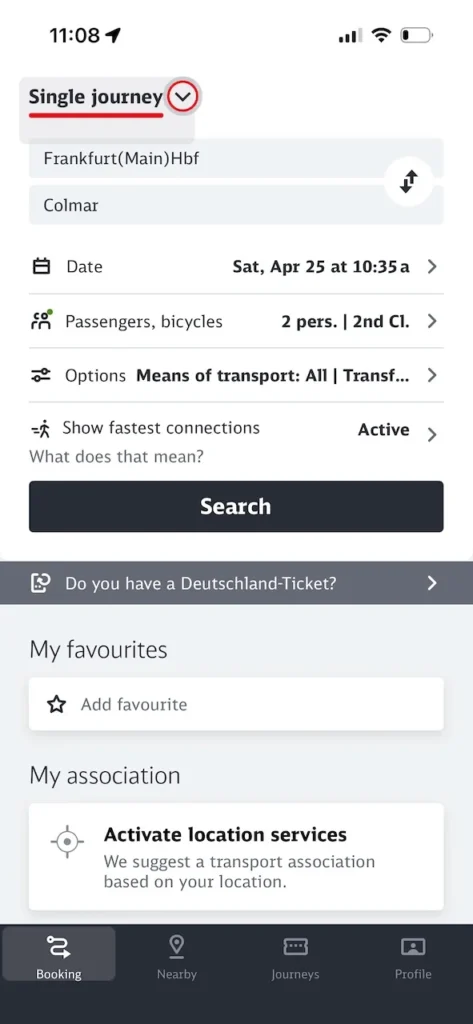
- Open the app
Enter:
- Departure station
- Destination station
- Date
- Number of travelers
- First or Second Class
- Press search
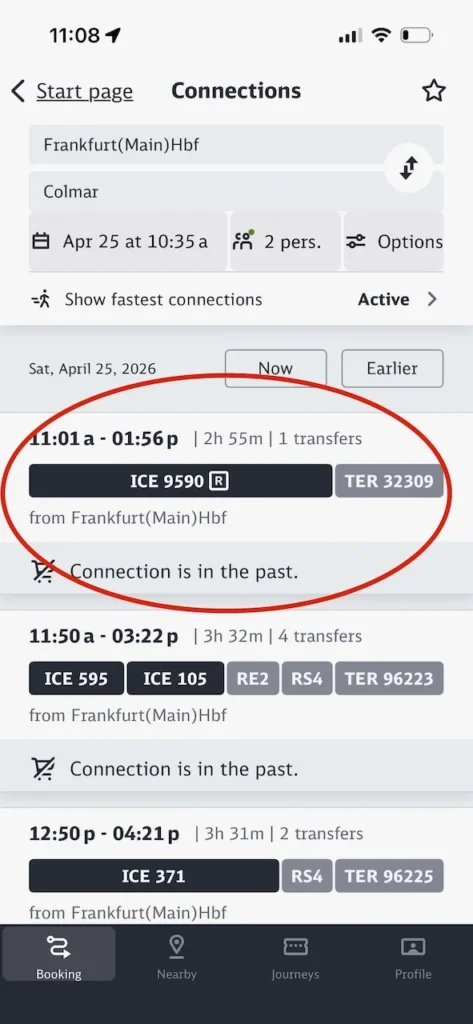
Compare Available Trains based on:
- Transfers
- Duration
- Departure time
- Arrival time
- Platform (if shown)
- Price
Select the train that meets your requirements.
- We have selected ICE #9590
- One transfer to a TER #32309 train.
- This one had the fewest transfers
- The fastest travel time.
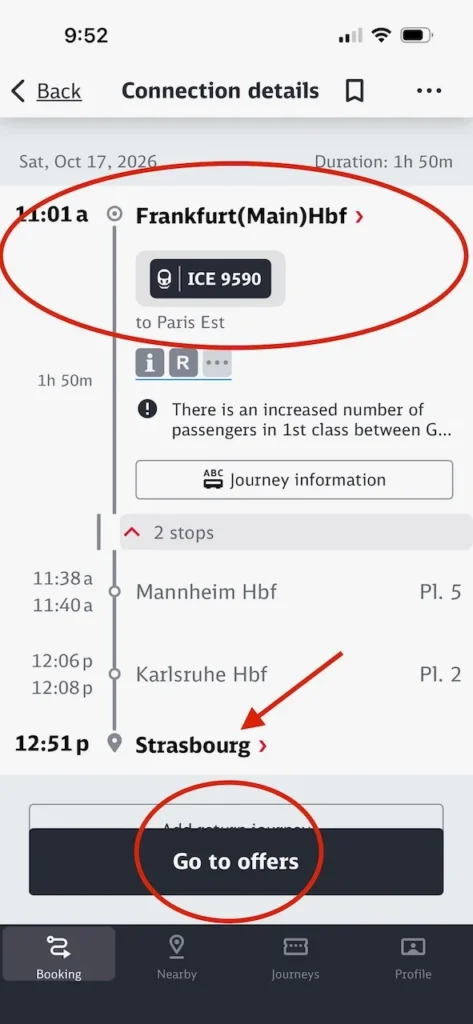
- Select Go to offers
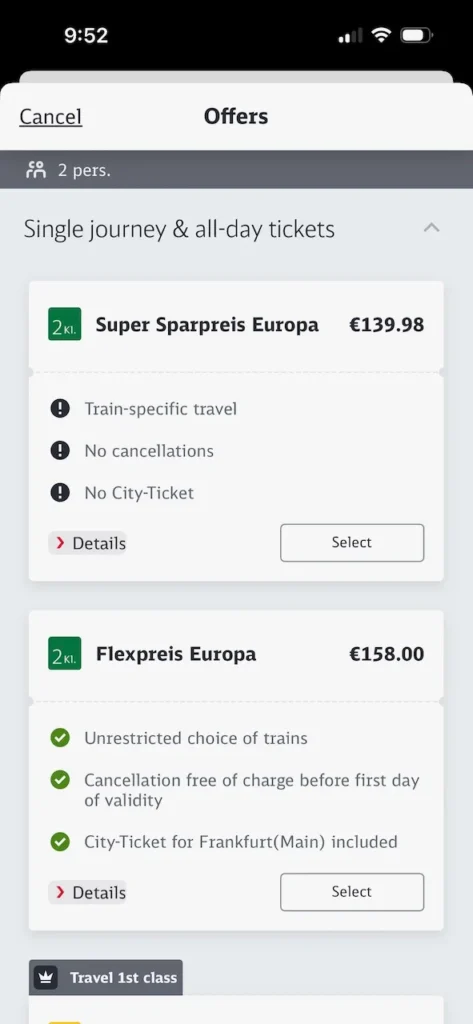
- Select the pricing option you want
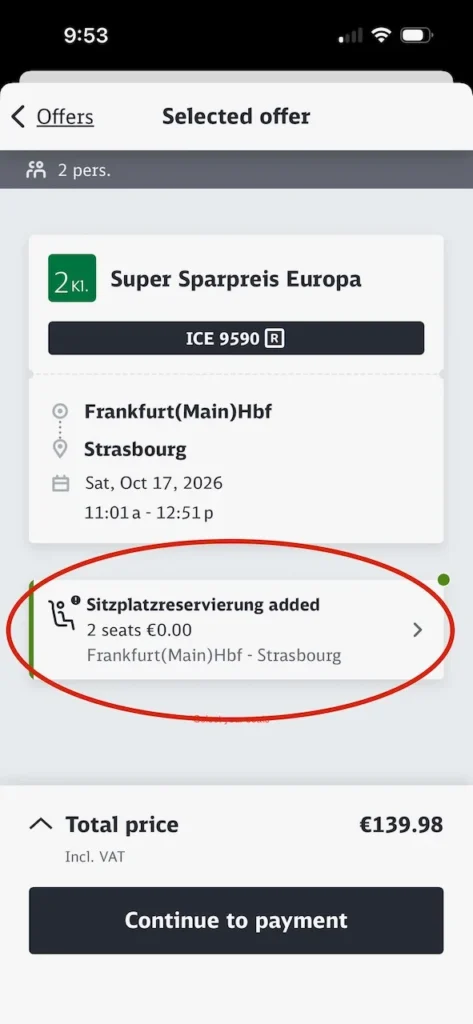
- Generally you must select your seats
- Similar to selecting airplane seats .
- You may be assigned seats
- Seats come in pairs or groups of four seats facing each other with a small table in the middle depending on the train.
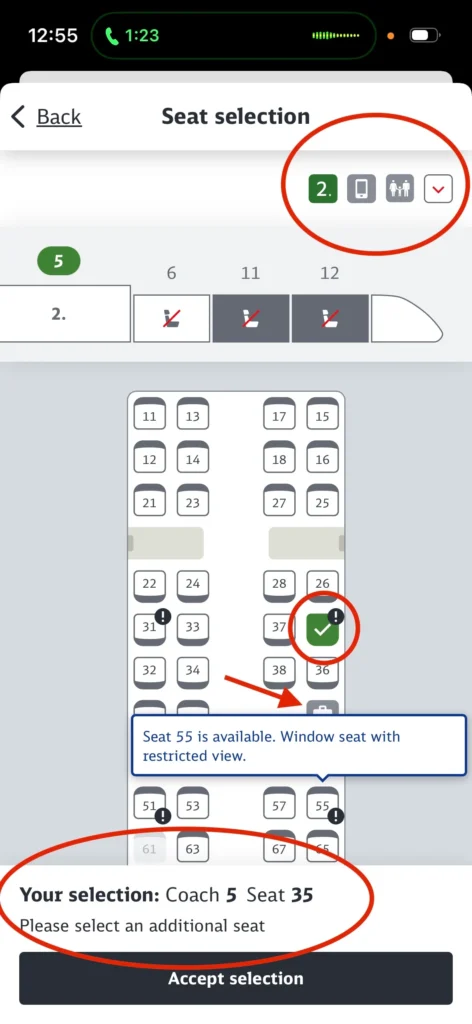
- Red circle at the top applies to 2nd class tickets.
- First class this icon would change to a 1
- Pull down the menu to see a list of features and restrictions
- Diagram of the train – cars numbered 11 and 12 are greyed out – they are first class only.
- Car number 6 has no seats available.
- Car number 5 is green to indicate it is being shown.
- Pick any seats in this car or any other 2nd class car
We have already selected:
- seat 35
- coach 5
- The two large gray bars in front of seats 22/24 and 26/28 are tables with 4 seats each facing each other.
- Some trains will have luggage racks near the center of the car – shown by a suitcase just above the message related to seat 55.
- There will also be luggage racks at the end of the car by the door
- Some seats face in one direction while others face the opposite.
- There really isn’t a way to determine the direction of the train. Therefore you don’t know if you will be facing forwards or backwards.
- Complete the payment requirements

Return to Prior Page