
Part 2: How to Read Your InterCity Train Ticket
InterCity Train Guide
Part 1: Buying Tickets
Part 2: ✓ Reading Your Ticket (current)
Part 3: Finding Your Train
Part 4: Riding the Train
You bought your ticket. Now what?
Which train is yours? Which platform do you use? Do you have a seat reservation? Where do you transfer? These questions cause a surprising amount of stress for first-time visitors. In Part 2 of our InterCity Train Guide, we show you exactly how to read your ticket and reservation so you’ll know where to be and what to expect before you arrive at the station.
Before You Leave the Hotel
✔ Verify today's departure time.
✔ Check for delays.
✔ Note the platform if it has been assigned.
✔ Know your coach number.
✔ Have your ticket ready before boarding.
Understanding Your Reservation Details
Where do I find my ticket?
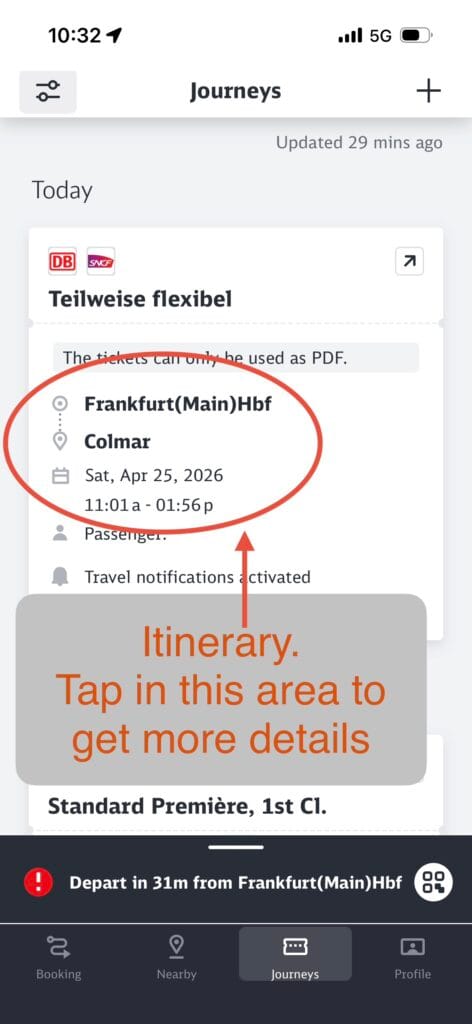
- Tickets can be viewed at the bottom tab marked Journeys.
- Trip Details:
- From Frankfurt Main train station
- To Colmar
- Saturday, April 25
- Leaving at 11:01.
Notice that just behind the top of the red oval is the statement: The Tickets can only be used as PDF.
Before traveling, make sure you know whether your ticket can be presented electronically or must be printed. When in doubt, carrying a printed copy – provides a useful backup.
What does all this information mean?
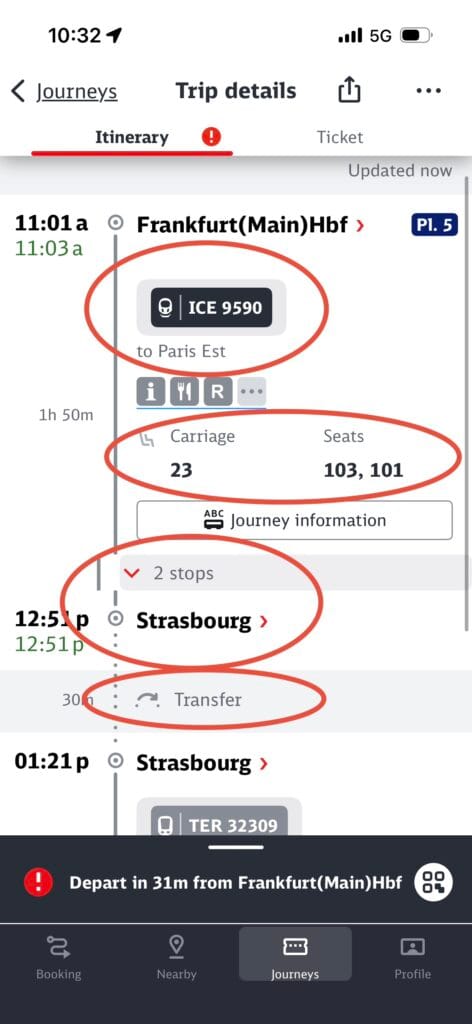
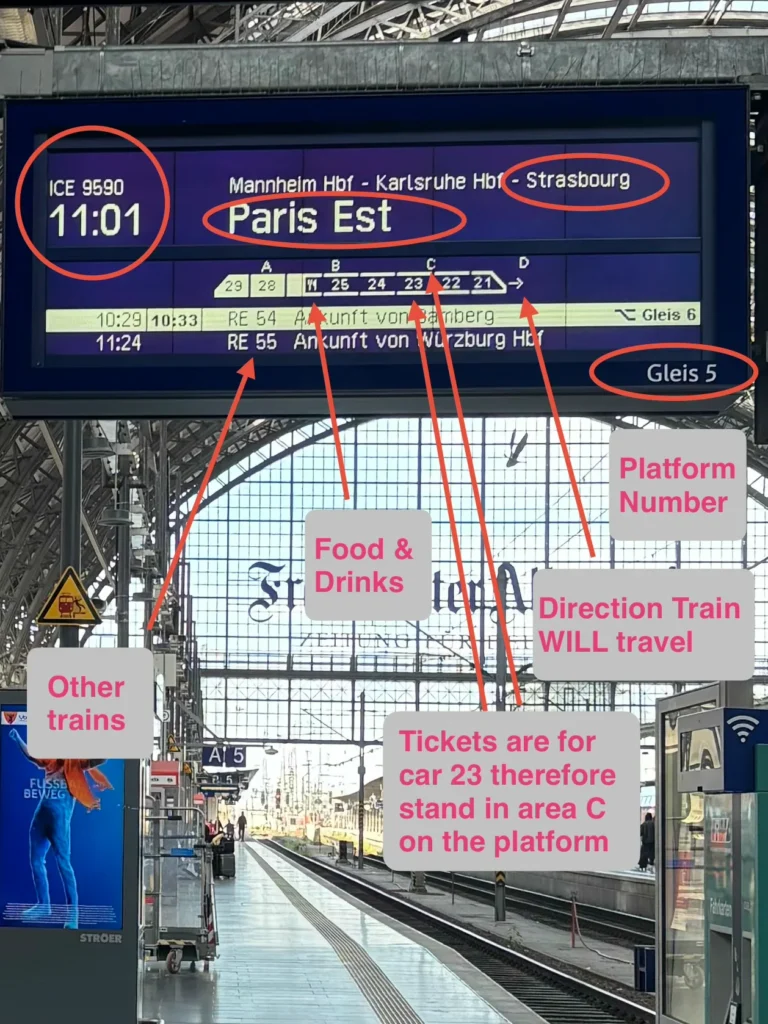
- We are taking ICE 9590
- headed towards Paris East
- Car 23, seats 101 and 103.
- The train will make 2 stops
- Transfer at Strasbourg
Clicking on the 2 stops pull down menu takes you to the third screenshot.
Understanding the Stops Along Your Route
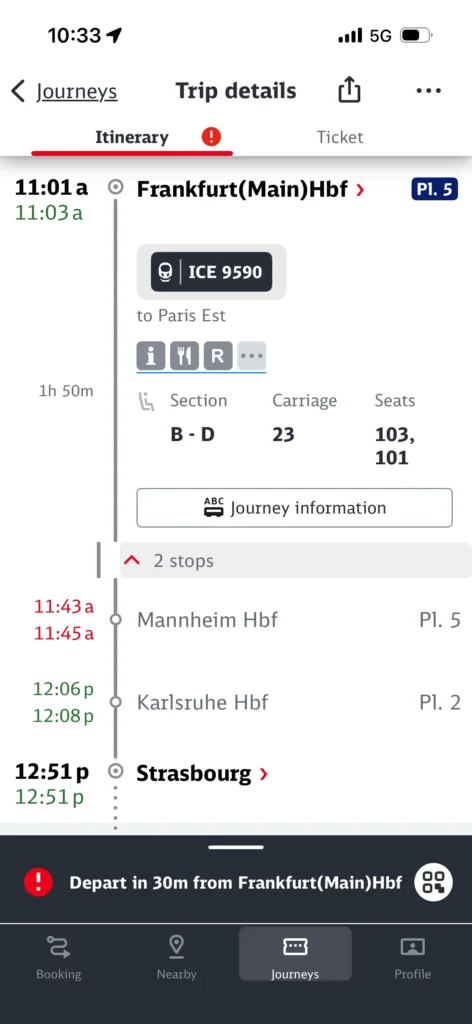
- The two stations we stop at the prior to Strasbourg.
- Expanding the list of stops lets you confirm that you’re on the correct train and shows approximately when you’ll reach your transfer station.
- The rest of the journey can be found by scrolling down.
🧳 Don’t be Surprised
If, on your journey, you have to change trains you may have to change platforms as well which might include going downstairs, across the station and up another set of steps. Follow the signs. If you are uncertain find someone to ask.


Return to Prior Page